Configuration
Here you can find a breakdown of the config of SpeedCamera
Config file
Debug
Debug - To display known error sources
cfg.debug = true
Jobs
Jobs - Here you can list jobs that have access to the system
cfg.jobs = {"ambulance", "police"}
Tolerance
Tolerance - Which tolerance should be automatically packed on each speed
cfg.tolerance = 3.0
Flash function
Blinking - Here you can activate / deactivate and configure the blinking function
	cfg.Blinking = {
		use = true, -> Should the blinking effect be used?
		red = 255, -> Red color value (RGB)
		green = 0, -> Green color value (RGB)
		blue = 0, -> Blue color value (RGB)
		range = 5.0, -> How large should the radius of the light be?
		intensity = 10.0, -> How intense should the light be?
	}
Penalty
fine - Here you can activate / deactivate the penalty functions
	cfg.fine = {
		discord = true, -> Should a discord message be sent?
		billing = true, -> Should an invoice be created?
		fine = false, -> Should the money be deducted automatically?
	}

	Important! -> "billing" and "fine" are defined in /server/custom.lua
Society - To which account should the fine go?
cfg.society = "society_police"
Cost - How much is the price per km/h too much
cfg.cost = 100
WebhooksUrl - Set the webhook url for your dicsord here
cfg.WebhooksUrl = "https://discord.com/api/webhooks/1364919559437680651/sn7YX-34jtDV2if0B1qZIAo6qE2-8IhDy2tdt3GBGs9cyPEieXvnEFf7gz7mKmY0D4AA"
Avatar - Set the avatar for your dicsord here
cfg.Avatar = "https://img.freepik.com/premium-vector/speed-camera-icon-vector-image-can-be-used-road-signs_120816-255959.jpg?w=740"
DiscordTitle - Set the title for your dicsord here
cfg.DiscordTitle = "Speed measurement system"
Vehicles
Cars - Define and configure all desired vehicles here
	{
		model = "police", -> Vehicle spawn name
		takeCamera = false, -> Can the vehicle be used as a speed camera?
		beCamera = true, -> Can the vehicle be used as a speed camera?
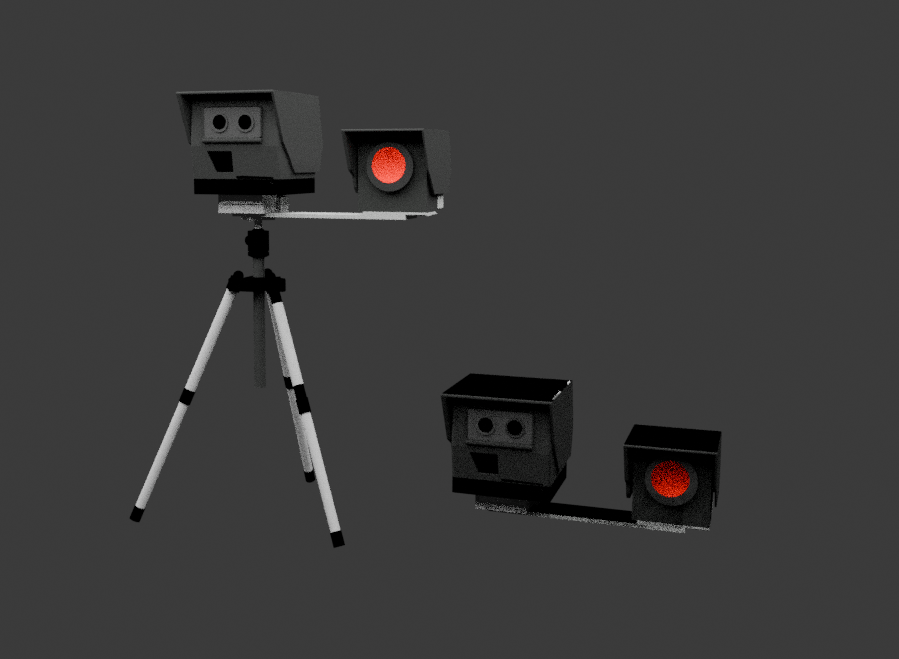
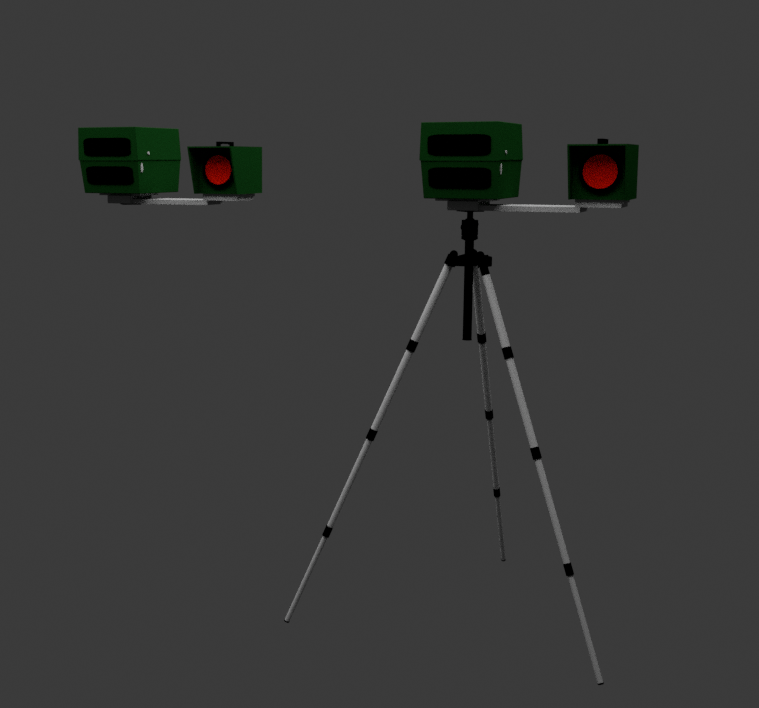
		CameraModel = "Vetro", -> Which camera model should be used? ("Vetro" or "VDS")
		CameraPosition = {x = 0.0, y = -2.6, z = 0.85}, -> Define the camera position in the vehicle (only for "beCamera = true")
		CameraRotation = {x = 180.0, y = 180.0, z = -70.0}, -> Define the camera rotation in the vehicle (only for "beCamera = true")
	}
info
Newest Update
Fixed Speed Cameras
fixedSpeedCams - Define and configure all fixed-position speed cameras here
	! FIXED = Cameras remain permanently at that position

	{
		model = "blitzer",									-> Prop name
		maxSpeed = 0.0,										-> Maximum speed
		radius = 13.0,										-> Radius in meters (see cfg.Radius)
		position = vec3(-1309.9126, -2267.0288, 12.7481),	-> Vector 3 coordinates
		heading = 328.6900,									-> Heading
		headingEdit = 180.0,								-> Heading adjustment (if prop is rotated etc.)
	}


	! SWITCHER = On every script restart, 1 camera from this list will be spawned

	{
		model = "blitzer",									-> Prop name
		maxSpeed = 0.0,										-> Maximum speed
		radius = 13.0,										-> Radius in meters (see cfg.Radius)
		position = vec3(-1309.9126, -2267.0288, 12.7481),	-> Vector 3 coordinates
		heading = 328.6900,									-> Heading
		headingEdit = 180.0,								-> Heading adjustment (if prop is rotated etc.)
	}
We recommend the following props: Traffipax Speed Camera Column Mobile Speed Camera German Speed Cameras Speed Camera Column
Vetro
VDS
Tastenbelegeungen
KeysplaceSpeedCamera - Key for placing the flash
cfg.keysplaceSpeedCamera = 'E'
Gibt es Probleme oder Fragen?
Dann melde dich in unserem Discord